Google AI Overviews provide AI-generated summaries in Google Search to help users find information more efficiently. However, these responses may sometimes contain inaccurate information, incomplete explanations, or irrelevant details. Understanding how to provide feedback on Google AI Overviews helps users report problems and communicate their experience with AI-generated search results.
However, AI-generated responses may sometimes contain inaccurate information, omit important details, or misunderstand the user’s question. When this happens, providing feedback can help communicate these issues to the search platform.
Google Search includes AI-powered experiences such as AI Overviews and AI Mode, which provide different ways to explore information. Understanding how to provide feedback on these features allows users to report problems and contribute to the ongoing evaluation of AI-generated search experiences.
What Are AI-Generated Responses in Search Results?
AI-generated responses are answers or summaries created using artificial intelligence to help users understand information related to their searches.
In Google Search, AI Overviews can provide a summary of information alongside links to relevant web pages. AI Mode offers a more conversational experience, allowing users to explore questions through follow-up queries.
These features may help users with tasks such as:
- Understanding complex topics: Receive a summary of information that may otherwise require several searches.
- Finding relevant information: Explore key points and discover related sources.
- Comparing different options: Review information about products, services, or possible solutions.
- Exploring follow-up questions: Continue researching a topic through additional searches.
Although these features can be useful, AI-generated responses are not always accurate or complete. Users should review supporting sources and verify important information rather than relying on an AI-generated answer alone.
Why Google AI Overviews Feedback Matters
Providing Google AI Overviews feedback allows users to report inaccurate information, missing context, and irrelevant answers. When reviewing Google AI Overviews, users should check supporting sources and explain the specific issue they encounter.
Common reasons to submit feedback include:
- Incorrect information: The response contains a statement that appears factually inaccurate.
- Missing details: Important information is omitted from the answer.
- Irrelevant responses: The generated answer does not address the original search query.
- Misleading explanations: The response presents information in a way that could cause confusion.
- Potentially harmful content: The answer contains information that could create safety concerns.
Clear feedback helps communicate the specific issue rather than simply indicating that a response is unsatisfactory.
However, submitting feedback does not guarantee that an individual response will be corrected immediately or that Google will take a particular action.
How to Provide Feedback on Google AI Overviews
Google provides feedback options for AI Overviews, although the available controls may vary depending on the interface and device.
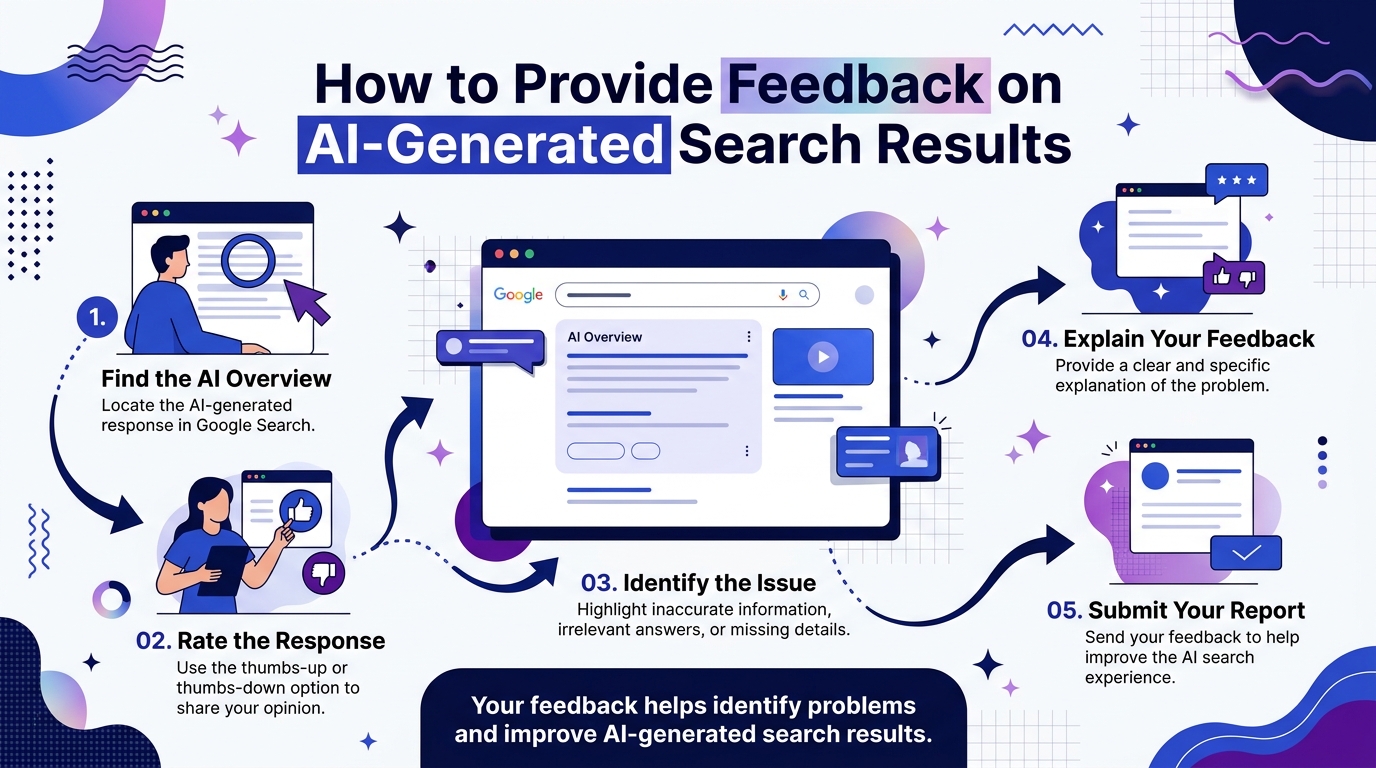
Users can follow these general steps to report an issue with an AI-generated response.
Step 1: Find the AI Overview
Open Google Search and enter a query that displays an AI Overview. Review the generated response and identify the information you want to comment on.
Step 2: Locate the Feedback Option
Look for the thumbs-up or thumbs-down icons associated with the AI Overview. A feedback option may also be available through the three-dot menu, depending on the interface.
Step 3: Rate the Response
Select the thumbs-up icon if the response is helpful or the thumbs-down icon if it is unhelpful.
If additional reporting options are available, choose the option that best describes the problem you encountered.
Step 4: Explain the Issue
Provide a brief and specific explanation of the problem. For example, you may identify an inaccurate statement, missing information, or an answer that does not address your question.
Where appropriate, refer to reliable sources that help explain the issue.
Step 5: Submit Your Feedback
Review your comments and submit the feedback using the available interface.
The exact wording and location of these controls may change as Google updates its search features. Users should follow the options displayed in their current Google Search experience.
How to Report Problems in Google AI Overviews
To report a problem in Google AI Overviews, locate the feedback option displayed with the response. Select the appropriate rating, explain why the answer is inaccurate or unhelpful if prompted, and submit your feedback.
Instead of submitting a general comment such as “This answer is wrong,” identify the specific statement that needs attention.
Consider these examples:
- Incorrect facts: Identify the statement that appears inaccurate and explain the discrepancy.
- Outdated information: Explain why the response may no longer reflect current information.
- Missing context: Identify an important qualification or detail that has been overlooked.
- Unrelated information: Explain how the answer differs from the question you originally asked.
- Unreliable explanations: Describe why the response could lead readers to an incorrect conclusion.
For example, if an AI-generated response provides outdated information about a digital marketing practice, you can identify the relevant statement and explain what appears to be incorrect.
Providing specific details makes your feedback more informative and helps communicate the nature of the problem.
Users should avoid including unnecessary personal information or sensitive details in their feedback submissions.
How to Provide Feedback on Google AI Mode
Google AI Mode provides a conversational search experience that allows users to ask questions, explore related topics, and continue with follow-up questions.
The feedback process may differ from the one available for AI Overviews.
To provide feedback on AI Mode:
- Open AI Mode: Access the feature through Google Search where it is available.
- Review the response: Identify the answer or information you want to report.
- Locate the feedback controls: Look for the available rating, reporting, or feedback options within the interface.
- Describe the issue: Explain what is inaccurate, irrelevant, incomplete, or otherwise unhelpful.
- Submit your comments: Follow the on-screen instructions to complete the feedback process.
Because Google may update its interface and available controls, users should refer to the current help instructions for the specific feature they are using.
What Makes Feedback More Useful?
Effective feedback explains what went wrong and why the response did not meet the user’s needs.
The following practices can help make feedback more specific and constructive.
1. Be Specific About the Problem
Identify the particular statement, explanation, or section that contains the issue instead of describing the entire response as incorrect.
2. Explain Why the Answer Is Unhelpful
Describe whether the response is inaccurate, incomplete, irrelevant, outdated, or misleading.
3. Refer to Reliable Sources
When appropriate, use trustworthy sources to help explain why a statement may be inaccurate. This is particularly useful for factual or technical topics.
4. Keep Your Comments Clear
Short, direct explanations are often easier to understand than long comments that do not clearly identify the issue.
5. Protect Your Privacy
Do not include passwords, confidential business information, or unnecessary personal details when submitting feedback.
These practices help users communicate concerns more clearly when reporting problems with AI-generated search results.
How AI Search Feedback Affects Businesses and Website Owners
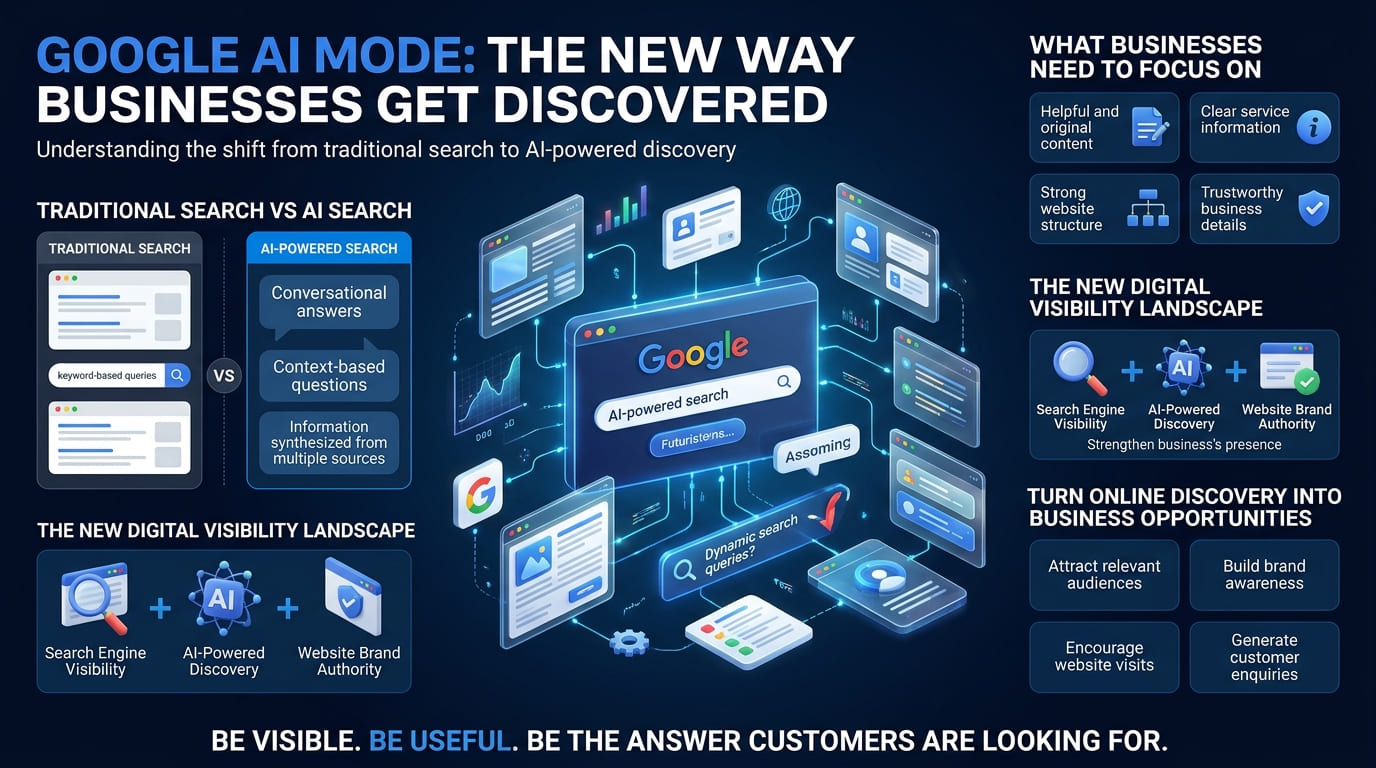
AI-generated responses are becoming an important part of how users discover and explore information online. This creates new considerations for businesses that want their websites to remain useful and visible in search experiences.
Although businesses cannot directly control how Google generates an AI response, they can continue improving the quality, accuracy, and accessibility of their website content.
Important practices include:
- Create helpful content: Answer users’ questions clearly and provide information that serves their needs.
- Maintain factual accuracy: Review content regularly and update information when necessary.
- Demonstrate expertise: Support important claims with relevant evidence and trustworthy sources.
- Improve website accessibility: Ensure important pages can be crawled and indexed by search engines.
- Organise content effectively: Use descriptive headings, logical sections, and clear explanations.
- Monitor search performance: Use Google Search Console to understand how users discover website content through Google Search.
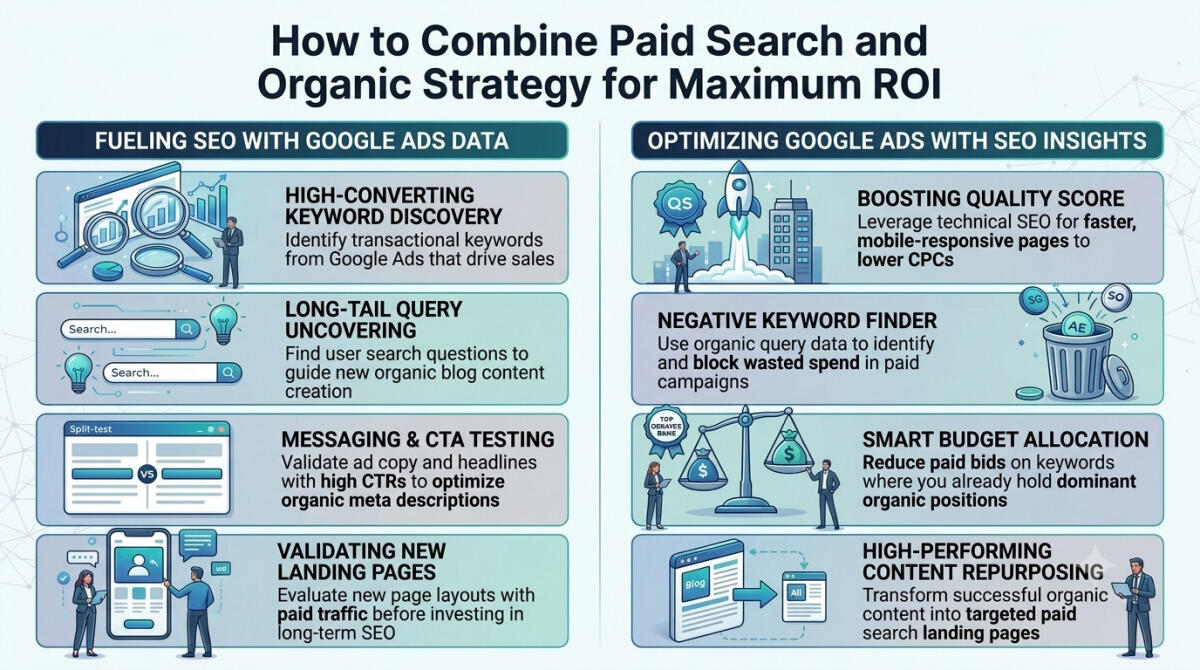
Google’s established SEO guidance remains relevant to AI Overviews and AI Mode. There is no guaranteed method for making a website appear in every AI-generated response.
Businesses should focus on providing genuinely useful content and maintaining strong technical SEO foundations rather than relying on unsupported shortcuts.
Common Mistakes to Avoid When Providing AI Search Feedback
Users should avoid several common mistakes when reporting AI-generated responses.
- Submitting vague feedback: Comments that do not explain the problem provide little context.
- Assuming every AI answer is incorrect: Evaluate the information and its supporting sources before reporting a concern.
- Ignoring the original question: Explain whether the response actually addresses the information requested.
- Providing unsupported claims: When possible, identify evidence that supports your concern.
- Sharing sensitive information: Avoid including confidential or unnecessary personal details.
- Expecting immediate changes: Feedback does not guarantee an immediate correction to a particular response.
Taking a moment to review the answer and describe the issue accurately can make the feedback process more constructive.
Conclusion
Providing feedback on AI-generated responses in Google Search allows users to report inaccurate information, identify unhelpful answers, and communicate problems with AI-powered search experiences.
By locating the relevant feedback option, selecting an appropriate rating, describing the issue clearly, and submitting specific comments, users can help Google evaluate the quality of its AI search features.
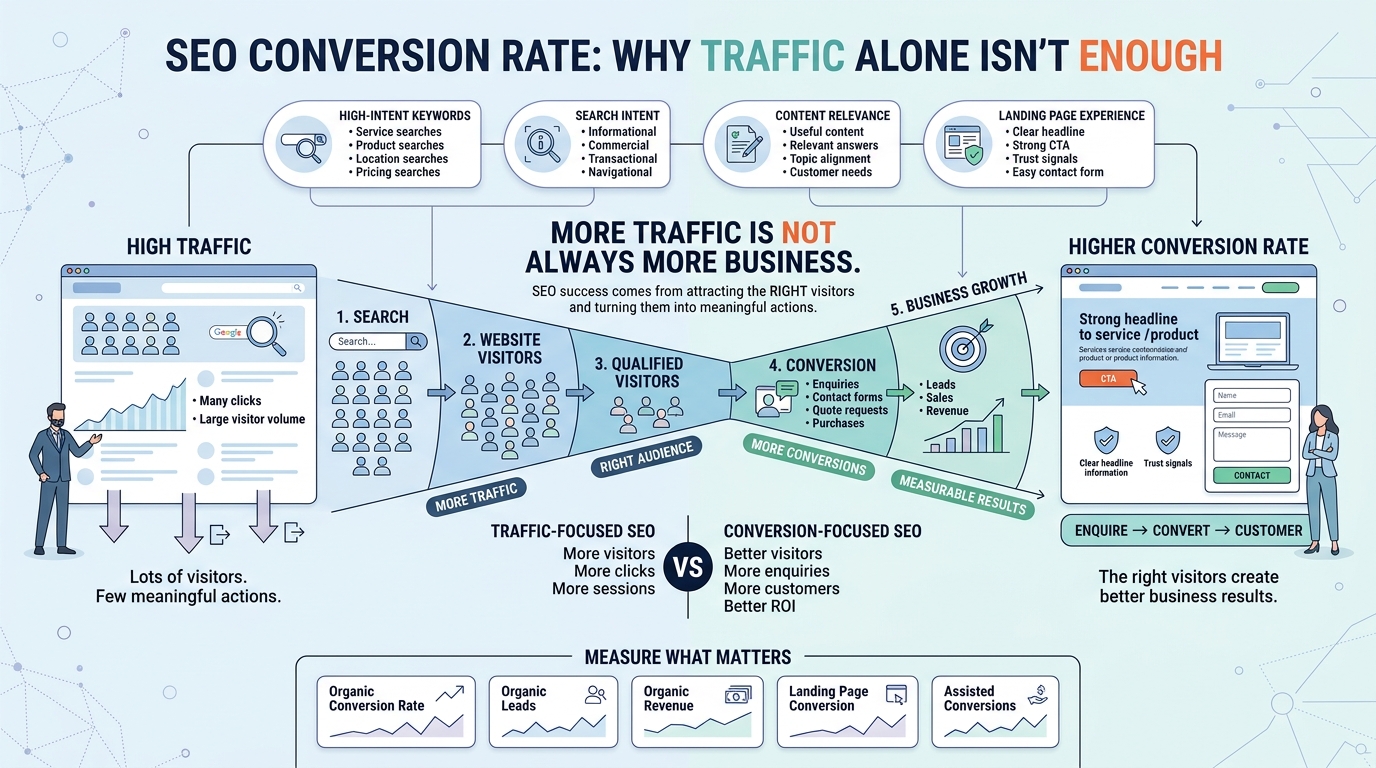
For businesses, the growth of AI search also reinforces the importance of creating reliable, useful, and well-structured website content. Strong SEO fundamentals remain important for helping users and search engines discover relevant information, although visibility in AI-generated responses cannot be guaranteed.
FAQs
1. How can I provide feedback on AI-generated responses in Google Search?
Find the AI Overview in Google Search and look for the available thumbs-up, thumbs-down, or reporting options. Select the appropriate option, explain the issue if prompted, and submit your feedback according to the instructions displayed.
2. Can I report incorrect information in Google AI Overviews?
Yes. Use the feedback or reporting options available for the AI Overview to describe the inaccurate information. Where appropriate, identify the specific statement and explain why it appears incorrect.
3. Can I provide feedback on Google AI Mode?
Google AI Mode may offer feedback options within its interface. The available controls can differ from those in AI Overviews, so follow the instructions displayed in the version you are using.
4. Does Google change AI-generated responses after receiving feedback?
Submitting feedback does not guarantee that an individual response will be changed immediately. Feedback can contribute to Google’s evaluation of its AI search experiences, but the outcome of a particular report is not guaranteed.
5. How can businesses improve their visibility in AI search results?
Businesses should publish helpful and accurate content, maintain strong technical SEO, make their websites accessible to search engines, and organise information clearly. These practices support search visibility but cannot guarantee inclusion in AI-generated responses.