Moving your website to a new domain, platform, hosting environment, or URL structure can be an important step for business growth. However, a website migration can also create SEO problems if important pages, redirects, content, and technical settings are not handled correctly.
SEO migration is the process of moving a website while protecting its existing search visibility, rankings, organic traffic, and SEO value. With proper planning, businesses can reduce the risk of broken links, indexing issues, lost rankings, and sudden drops in organic traffic.
This guide looks at what SEO migration involves, why it affects search performance, and how businesses can plan a safer migration that protects the SEO value they have already built. Whether you are changing your domain name, moving to a new platform, or restructuring your URLs, the principles in this guide can help you avoid the most common migration mistakes.
What Is SEO Migration?
SEO migration refers to the process of moving or significantly changing a website while maintaining its search engine performance.
A website migration can involve:
-
Changing the domain name
-
Moving to a new CMS or website platform
-
Changing the URL structure
-
Switching from HTTP to HTTPS
-
Redesigning or rebuilding a website
-
Moving to a different hosting environment
-
Merging multiple websites
-
Changing subdomains or website architecture
Because search engines use URLs, content, links, and technical signals to understand a website, major changes can affect how pages are crawled, indexed, and ranked.
You can learn more about how search engines crawl and index websites through Google Search Central. You can also explore more SEO strategies in our Blog to support your overall search performance.
It is also important to understand that not all migrations are the same. A simple platform change may have minimal SEO impact if URLs and content stay the same. A domain change or URL restructure, however, can have a much bigger effect because search engines need to relearn where your content now lives. The more elements you change at once — domain, URL structure, platform, and design — the greater the risk to your SEO performance.
This is why SEO migration should be treated as a technical SEO project, not just a website design or development task. It requires planning, documentation, testing, and monitoring before, during, and after the move.
Why Website Migration Can Affect SEO
A website migration changes elements that search engines may already associate with your existing rankings and organic traffic.
Poorly managed migrations can result in:
-
Broken links
-
Missing pages
-
Lost rankings
-
Reduced organic traffic
-
Indexing problems
-
Incorrect redirects
-
Lost backlinks
-
Duplicate content
-
Incorrect canonical tags
-
Sitemap and robots.txt issues
For this reason, SEO should be considered before the migration begins rather than after the new website has already gone live.
Search engines build an understanding of your website over time. They know which URLs exist, which pages are important, which pages receive backlinks, and how pages relate to each other. When a migration changes these signals suddenly, search engines need time to re-evaluate the website. During this period, rankings and traffic may fluctuate.
If the migration is done correctly, search engines can transfer most of the existing value to the new URLs. If it is done poorly, the website may lose visibility, traffic, and rankings that took years to build. In some cases, recovery can take months — and some losses may never be fully recovered.
This is why planning matters. A migration is not just a technical task — it is a process that affects how your website performs in search both in the short term and the long term. The goal is to make the transition as smooth as possible for both users and search engines.
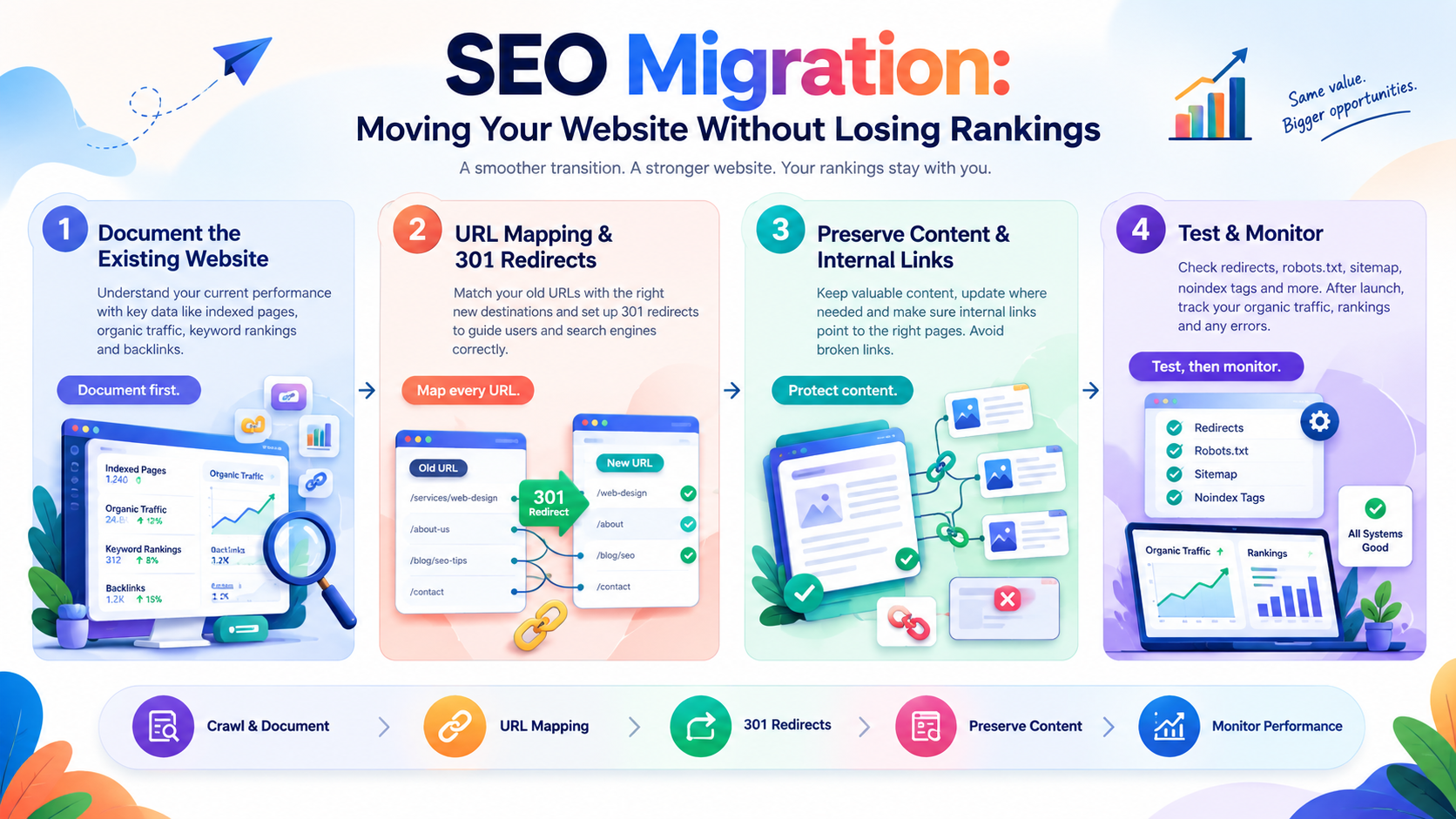
Crawl and Document Your Existing Website
Before moving your website, create a clear record of its current SEO performance.
Identify important pages, existing URLs, organic traffic, keyword rankings, backlinks, metadata, and indexed pages. This information provides a useful baseline that can be compared with your website after the migration.
It can also help you identify high-performing pages that need to be preserved during the move. Without this documentation, it becomes very difficult to know whether a drop in traffic after migration is normal or caused by a technical issue.
Some useful tools for documenting your website include:
-
Google Search Console for indexed pages, queries, and crawl data
-
Google Analytics for traffic and conversions
-
SEO tools for backlink profiles and keyword rankings
-
Sitemap files for a full list of URLs
-
Crawling tools for internal links and page structure
Once you have this data, save it somewhere accessible. After the migration, you will need it to compare performance and identify any pages that have lost visibility. A spreadsheet with old URLs, new URLs, and current rankings is a simple but effective way to track this.
A documented baseline also helps you explain changes to stakeholders. If organic traffic drops after launch, you can compare it with pre-migration data to determine whether the drop is normal or caused by a technical issue. This makes it easier to make decisions quickly rather than guessing what went wrong.
Create a URL Mapping Plan
One of the most important steps in an SEO migration is creating a clear URL mapping plan.
If your website structure is changing, identify which new URL should replace each important old URL.
For example:
-
Old URL:
example.com/services/web-design -
New URL:
example.com/web-design-services
Mapping old URLs to relevant new pages helps search engines understand where existing content has moved and helps visitors avoid encountering broken pages.
A URL mapping plan should cover every important page, not just the homepage or main service pages. This includes:
-
Main service pages
-
Product pages
-
Blog articles
-
Landing pages
-
Contact and about pages
-
Any page with backlinks or organic traffic
If a page no longer exists and there is no direct replacement, redirect it to the most relevant remaining page. Avoid redirecting everything to the homepage, as this can confuse both users and search engines.
A well-prepared URL mapping plan is one of the strongest protections against lost rankings during a migration. It ensures that every important page has a clear destination and that no SEO value is accidentally lost. It also makes testing easier, because you can check each redirect against the mapping plan before launch.
Set Up 301 Redirects
301 redirects tell search engines and visitors that a page has permanently moved to a new URL.
Redirects are particularly important when changing:
-
Domain names
-
Page URLs
-
Website structures
-
HTTP to HTTPS
-
Old pages to new replacement pages
Each important old URL should be redirected to the most relevant new page whenever possible.
Sending every old URL to the homepage can create a poor user experience and may not properly preserve the relevance of the original page. For example, if someone searches for a specific service and lands on your homepage instead of the relevant service page, they may leave immediately — and search engines may view the redirect as less relevant.
Some best practices for redirects include:
-
Use 301 redirects for permanent changes
-
Redirect to the most relevant page, not just the homepage
-
Avoid redirect chains (A → B → C)
-
Avoid redirect loops
-
Test redirects before and after launch
-
Keep redirects in place long-term
Redirects are one of the most important technical elements of an SEO migration. Without them, search engines and visitors may encounter broken pages, which can lead to lost traffic and rankings. With them, search engines can transfer most of the existing value to the new URLs.
Preserve Important Content
A website migration is not necessarily the right time to remove large amounts of existing content.
Pages that already generate organic traffic, rankings, backlinks, or leads should be reviewed carefully before being deleted.
Businesses should identify valuable content and determine whether it should be:
-
Kept as it is
-
Updated
-
Combined with another page
-
Redirected to a relevant replacement
-
Removed only when there is a clear reason
Preserving valuable content can help maintain the SEO performance built by the previous website.
If a page has been performing well, there is usually little reason to remove it during a migration. Even if the design or structure changes, the content itself should usually be preserved unless there is a clear business reason to remove it. Content that has earned backlinks or ranked well is particularly valuable and should be protected.
If you do decide to remove content, make sure to redirect the old URL to the most relevant replacement page. This helps preserve any SEO value the page had built and ensures that users do not encounter broken pages.
A migration is also a good opportunity to review content quality. Pages with thin or outdated content can be updated, combined, or removed as part of the migration process — but this should be done carefully and with SEO in mind.
Check Internal Links
Internal links help search engines discover pages and understand the structure of a website.
After migration, review internal links to make sure they point to the correct new URLs.
Proper internal linking can help:
-
Guide visitors to relevant pages
-
Reduce broken links
-
Support important landing pages
-
Improve website navigation
-
Help search engines discover new URLs
Updating internal links also prevents unnecessary redirect chains throughout the website.
Internal links are often overlooked during a migration because they are not visible to visitors in the same way as navigation menus. However, they play an important role in how search engines understand your website. A broken internal link can prevent search engines from discovering important pages.
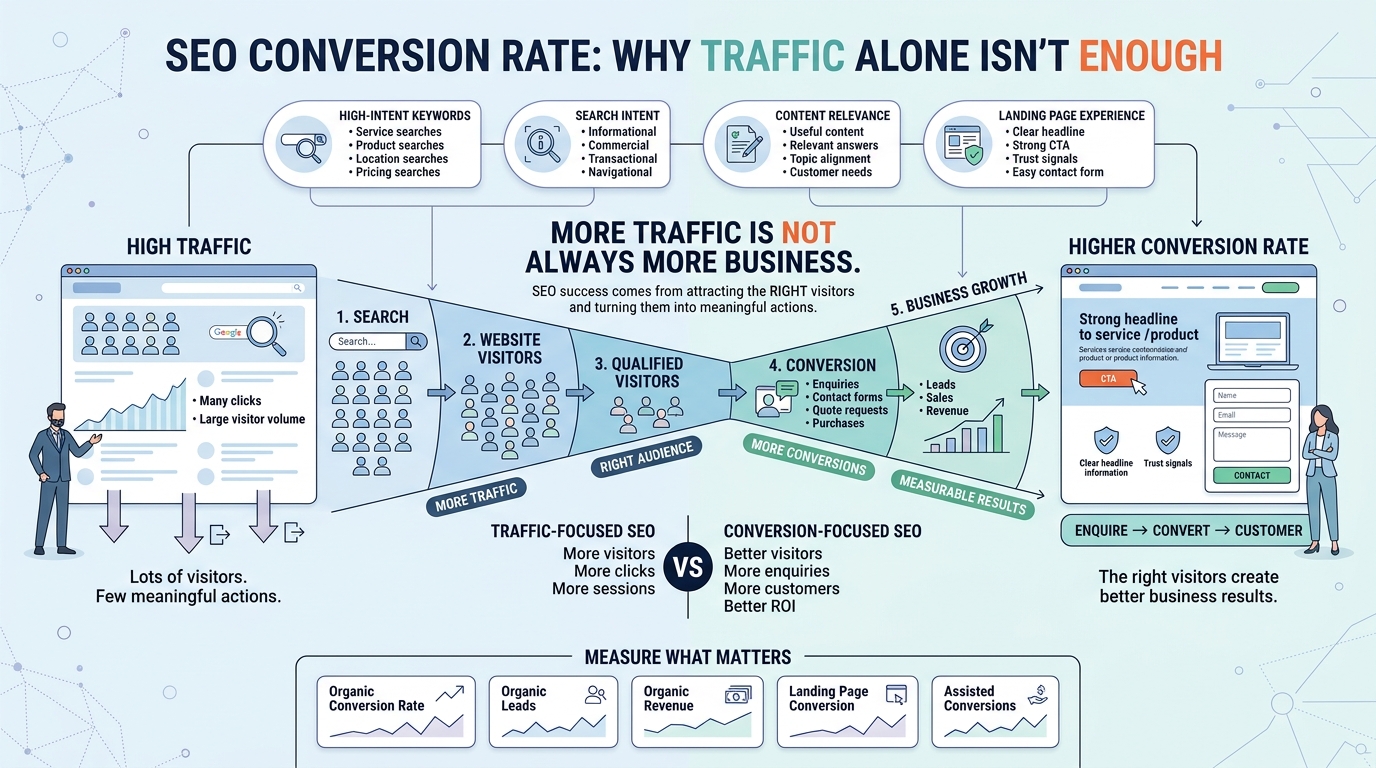
You can read more about how internal linking supports SEO performance in our article on SEO Conversion Rate, which covers how internal links guide visitors toward conversion-focused pages.
After migration, use a crawling tool to check for broken internal links and update them to point to the correct new URLs. This should be done as part of the migration process, not after launch, so that the website is clean from day one.
Update Your XML Sitemap
Once the new website is live, update the XML sitemap so that it contains the correct URLs.
The sitemap should focus on important pages that you want search engines to discover and index. Old URLs that no longer exist should not remain unnecessarily in the sitemap.
Submitting the updated sitemap through Google Search Console can also help search engines discover the new website structure.
A clean sitemap helps search engines understand which pages exist on your website and which pages are most important. It also makes it easier to identify indexing issues after a migration. If pages are missing from the index, the sitemap can help you identify which ones.
If your website has many pages, consider splitting the sitemap into sections — for example, one for blog articles, one for service pages, and one for products. This makes it easier to manage and monitor, and it helps search engines understand the structure of your website.
Check Robots.txt and Indexing Settings
Incorrect indexing settings can create serious SEO problems after a website migration.
Check your robots.txt file and page-level indexing settings to make sure important pages can be crawled and indexed.
Businesses should pay particular attention to:
-
Robots.txt restrictions
-
Noindex tags
-
Canonical tags
-
Sitemap configuration
-
Search engine accessibility
-
Staging website settings
A website that accidentally remains blocked from search engines can experience a significant loss in organic visibility.
This is a common mistake during migrations, especially when a staging website is copied to the live environment with its “noindex” settings still in place. Once the website goes live, search engines cannot index any pages, and organic traffic drops quickly.
Before launch, double-check:
-
That robots.txt allows search engines to crawl the website
-
That no pages have unintended noindex tags
-
That canonical tags point to the correct URLs
-
That the staging environment is not accessible to search engines
A quick check before launch can prevent serious SEO problems after launch. This is one of the simplest but most important steps in an SEO migration.
Test the Website Before Launch
Before launching the new website, test important pages and website functions.
Check:
-
Page URLs
-
Redirects
-
Internal links
-
Forms
-
Images
-
Navigation
-
Mobile usability
-
Page loading
-
Canonical tags
-
Indexing settings
Testing the website before launch gives businesses an opportunity to identify SEO and usability problems before they affect real visitors and search engine crawlers.
Some businesses prefer to launch on a staging environment first, test everything, and then move to the live environment. This approach reduces the risk of issues appearing after launch.
If possible, involve both the development team and the SEO team in the testing process. Developers can check technical functions, while SEO specialists can check indexing, redirects, and content structure. This division of responsibility helps ensure that nothing is missed.
You can also explore our SEO Services page if you need professional help with testing and migration planning.
Monitor SEO Performance After Migration
SEO migration does not end when the new website goes live.
Search engine rankings and organic traffic should be monitored closely after the migration to identify unexpected changes.
Important metrics to monitor include:
-
Organic traffic
-
Keyword rankings
-
Search impressions
-
Click-through rate
-
Indexed pages
-
Crawl errors
-
Organic conversions
-
Important landing pages
Comparing these metrics with your pre-migration data can help identify potential problems and determine whether further technical adjustments are required.
Some fluctuation in rankings and traffic is normal after a migration. Search engines need time to re-crawl and re-evaluate the website. However, significant or prolonged drops may indicate a technical issue that needs to be fixed.
Monitoring should continue for several weeks or months after launch, depending on the size of the website and the scope of the migration. Keeping a simple tracking sheet with key metrics from Google Search Console and Google Analytics can help you spot issues early.
Common SEO Migration Mistakes to Avoid
A website migration can become complicated when important SEO elements are overlooked.
Some common mistakes include:
Launching without redirects
Old URLs may return errors instead of directing visitors to relevant new pages. This can lead to lost traffic and rankings.
Deleting high-performing pages
Removing pages that generate valuable traffic or backlinks can affect organic visibility. Always review performance data before removing content.
Forgetting internal links
Old internal URLs can create broken links or unnecessary redirects. Update internal links as part of the migration process.
Blocking search engines
Incorrect robots.txt or noindex settings can prevent important pages from being indexed. This is one of the most damaging migration mistakes.
Changing the entire website without documentation
Without a record of the old website, it can become difficult to identify what caused ranking or traffic changes. Always document your website before migration.
Failing to monitor after launch
Some migration issues may only become visible after search engines begin crawling the new website. Monitoring after launch is essential.
Avoiding these mistakes can significantly reduce the risk of losing SEO value during a migration. Most of them are preventable with proper planning and testing.
Build a Safer Website Migration Strategy
A successful SEO migration requires more than simply moving website files from one platform to another.
Businesses should plan the migration around both technical requirements and existing SEO value.
A structured migration strategy can help businesses:
-
Protect important URLs
-
Preserve valuable content
-
Maintain organic visibility
-
Reduce broken links
-
Improve website structure
-
Identify technical problems quickly
-
Minimize potential traffic losses
The objective is to launch a better website without unnecessarily sacrificing the SEO performance that has already been built.
A good migration strategy also includes a timeline. Work backwards from the launch date and plan each step — documentation, URL mapping, redirects, content review, testing, and monitoring. This helps ensure that nothing is forgotten under time pressure.
For more insights on how SEO supports long-term business growth, you can also read our article on SEO Conversion Rate.
Conclusion
Moving a website can provide opportunities to improve its design, performance, structure, and functionality, but an unplanned migration can also lead to lost rankings and organic traffic. By documenting the existing website, mapping URLs, setting up relevant 301 redirects, preserving valuable content, checking technical settings, and monitoring SEO performance after launch, businesses can reduce the risks associated with SEO migration and protect the search visibility, traffic, and SEO value they have already built.
A successful SEO migration is not about moving files from one platform to another. It is about protecting the investment that has already been made in SEO — the rankings, traffic, backlinks, and content that took time to build. Businesses that treat migration as a strategic SEO project, rather than a simple technical task, are far more likely to maintain their search performance after launch.
With careful planning, thorough testing, and consistent monitoring, a website migration can be completed without losing the SEO value that has already been earned. For more SEO insights and guides, you can also explore our other articles in the Blog.
FAQs
1. What is SEO migration?
SEO migration is the process of moving or significantly changing a website — such as changing domains, platforms, URL structures, or hosting environments — while protecting its existing search visibility, rankings, organic traffic, and SEO value.
2. Why is SEO migration important?
SEO migration is important because major website changes can affect how search engines crawl, index, and rank pages. Without proper planning, a migration can lead to broken links, lost rankings, reduced organic traffic, and indexing problems that are difficult to reverse.
3. What are 301 redirects and why do they matter?
301 redirects tell search engines and visitors that a page has permanently moved to a new URL. They matter because they help preserve the SEO value of old pages by directing both users and search engines to the correct new page.
4. Can a website migration cause a drop in rankings?
Yes. A poorly managed migration can cause a drop in rankings, especially if redirects are missing, important pages are removed, or indexing settings are incorrect. Some short-term fluctuation is normal, but significant or prolonged drops usually indicate a technical issue.
5. How long does it take for SEO to recover after a migration?
Recovery time depends on the size of the website, the scope of the migration, and how well the migration was executed. Some websites recover within weeks, while others may take several months. Monitoring performance closely after launch helps identify issues early.