Search engine optimization (SEO) helps businesses improve their online visibility. However, a website may still struggle to rank well.
Technical problems can make it hard for search engines to crawl a website. Poor page structure can also affect how users move around the site. In addition, old content, broken links, and slow pages can hurt the user experience.
This is where an SEO audit can help.
An SEO audit gives you a clear view of your website’s current SEO health. It helps you find problems, fix weak areas, and discover new opportunities.
More importantly, regular audits can help you keep your website healthy as your business grows.
In this guide, we explain how to perform an SEO audit step by step. You will learn what to check and why each area matters.
What Is an SEO Audit?
An SEO audit is a detailed check of a website’s SEO performance.
The process looks at several parts of your website. These include technical SEO, content, links, page structure, speed, mobile performance, and user experience.
For example, an audit can help you find:
- Pages that search engines cannot access
- Broken links
- Missing or poor page titles
- Weak meta descriptions
- Duplicate content
- Slow-loading pages
- Mobile usability issues
- Poor internal linking
- Weak website structure
- Low-quality backlinks
- Outdated content
Once these issues are found, you can create a plan to fix them.
As a result, your website can become easier for search engines to crawl and easier for visitors to use.
Why Is an SEO Audit Important?
SEO is not a one-time task. Websites change over time.
New pages are added. Old pages become outdated. Plugins and themes are updated. Links can also break.
Because of this, a website that performed well last year may have new SEO problems today.
Regular SEO audits help you stay aware of these changes.
Here are some of the main benefits.
Improve Search Engine Visibility
First, an SEO audit can show why some pages are not getting enough visibility.
You may have useful content, but search engines may not understand the page properly. Technical problems can also prevent pages from being crawled or indexed.
By fixing these issues, you can make your website easier for search engines to understand.
Find Technical SEO Problems
Technical SEO affects how search engines access and understand your website.
For example, you may find:
- Crawl errors
- Indexing problems
- Broken pages
- Slow loading times
- Mobile issues
- Poor site structure
- Incorrect redirects
- Duplicate URLs
Finding these problems early can prevent them from affecting more pages.
Improve Website Content
Good content should answer what users are looking for.
During an audit, you can check whether your content is useful, clear, and up to date.
For example, an old service page may contain information that is no longer correct. Updating the page can make it more useful to visitors.
You can also find pages that need more detail, better headings, or stronger keyword targeting.
Improve On-Page SEO
On-page SEO covers the elements found on your website pages.
These elements include:
- Page titles
- Meta descriptions
- Headings
- Keywords
- Image alt text
- Internal links
- URLs
- Content structure
A review of these elements can help you find pages that need improvement.
For instance, a page may have a good topic but a weak title. A small change can make the page clearer to both users and search engines.
How to Perform an SEO Audit
Now that you understand why an audit matters, it is time to look at the process.
You do not need to check everything at once. Instead, work through each area step by step.
1. Check Website Indexing
Start by checking whether your important pages can appear in search results.
Search engines need to crawl and index your pages before they can show them to users.
First, check your website in Google Search Console. Look for indexing problems and pages that are excluded.
Next, review important pages manually.
Check whether:
- Important pages are indexed
- Pages are blocked from crawling
- Noindex tags are used correctly
- Your XML sitemap works
- Canonical URLs are correct
For example, a service page may have good content but still receive no traffic because it is not indexed.
Therefore, indexing should be one of the first things you check.
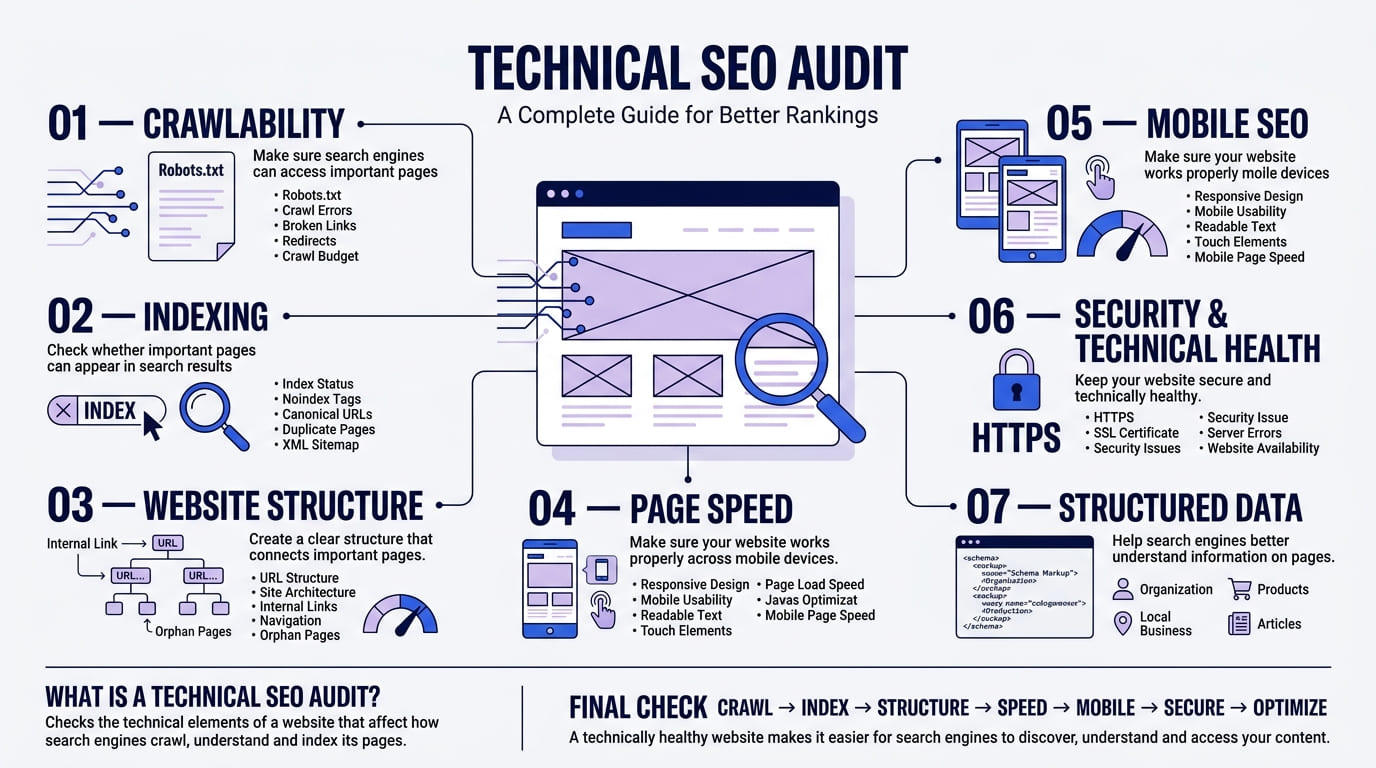
2. Review Technical SEO
Technical SEO focuses on how your website works behind the scenes.
A technically healthy website makes it easier for search engines to crawl your content.
During the audit, check areas such as:
- Crawl errors
- Broken pages
- Redirects
- HTTPS
- XML sitemap
- Robots.txt
- Canonical tags
- Duplicate URLs
- Website structure
Also, check whether your website has unnecessary redirects.
Too many redirects can create a poor user experience. They can also make it harder to manage your website.
For this reason, keep your website structure simple and clear.
3. Check Page Titles and Meta Descriptions
Page titles and meta descriptions help explain what a page is about.
The page title is especially important because it tells users and search engines what they can expect from the page.
During your audit, check whether your pages have:
- Clear page titles
- Relevant keywords
- Unique titles
- Useful meta descriptions
- Accurate descriptions
Avoid using the same title on many pages.
Instead, make each title specific to its content.
For example, a page about roof repair should have a title that clearly relates to roof repair. It should not use a general title such as “Our Services.”
In addition, write meta descriptions that explain what users will find on the page.
4. Review Your Website Content
Content plays an important role in SEO.
However, having many pages does not always mean having good content.
During your audit, review your existing pages carefully.
Ask yourself:
- Does the page answer the user’s question?
- Is the information still accurate?
- Is the content easy to read?
- Does the page cover the topic properly?
- Does it provide useful information?
- Is the content unique?
- Does the page match the search intent?
For example, an old blog post may target an important keyword but contain outdated information.
In that case, update the content instead of creating another page on the same topic.
This can help you get more value from your existing content.
5. Check Keyword Usage
Keywords help search engines understand your content.
However, keywords should be used naturally.
Do not repeat the same keyword in every sentence. Keyword stuffing can make your content difficult to read.
Instead, use your main keyword in useful places such as:
- Page title
- Main heading
- Introduction
- Subheadings
- Body content
- URL
- Meta description
You can also use related terms and variations.
For example, an article about an SEO audit can naturally use terms such as “website SEO audit”, “technical SEO”, and “SEO checklist.”
This creates a more natural reading experience.
6. Improve Internal Linking
Internal links connect one page on your website to another page on the same website.
They help users find related information. At the same time, they help search engines understand the relationship between your pages.
During your audit, look for pages with very few internal links.
Then, find relevant opportunities to connect them.
For example, a blog post about website speed could link to a service page about SEO or website development.
Use clear anchor text where possible.
Instead of writing “click here”, describe the page users will visit.
This gives both users and search engines more context.
7. Check Your Website Structure
A clear website structure makes navigation easier.
It also helps search engines understand how your content is organised.
Start by reviewing your main navigation.
Important pages should not be difficult to find.
For example, a business website may have a structure like:
Home → Services → Web Design → Contact
A blog may have another structure:
Blog → SEO → Technical SEO → SEO Audit
Keep related pages together where possible.
In addition, avoid creating unnecessary layers of pages. Users should be able to reach important content without going through too many steps.
8. Check Website Speed
Website speed affects both users and website performance.
A slow page can make visitors leave before the content loads.
Therefore, website speed should be part of every SEO audit.
Check areas such as:
- Page loading time
- Image sizes
- Large files
- Unused scripts
- CSS and JavaScript
- Browser caching
- Server response time
Tools such as Google PageSpeed Insights can help you find areas that need attention.
However, do not focus only on getting a perfect score.
Instead, look at the problems affecting real users and fix the most important ones first.
9. Check Mobile Performance
Many people browse websites using smartphones.
Because of this, your website must work well on smaller screens.
During your audit, open important pages on a mobile device.
Check whether:
- Text is easy to read
- Buttons are easy to tap
- Images fit the screen
- Menus work correctly
- Forms are easy to complete
- Content does not overflow
- Pages load quickly
A website may look good on desktop but still have problems on mobile.
For this reason, always include mobile checks in your SEO audit.
10. Analyse Your Backlinks
Backlinks are links from other websites to your website.
They can help search engines understand the authority and relevance of your website.
However, not every backlink is useful.
During your audit, review your backlink profile.
Look for:
- Relevant backlinks
- Links from trusted websites
- Broken backlinks
- Suspicious links
- Lost backlinks
- New backlinks
You should also check whether important pages are receiving backlinks.
A useful backlink can bring referral traffic as well as SEO value.
Therefore, backlink analysis should be part of your wider SEO review.
11. Check Broken Links
Broken links lead users to pages that no longer exist.
They can create a frustrating experience.
Broken internal links can also make it harder for users and search engines to move around your website.
Check your website for:
- Broken internal links
- Broken external links
- 404 pages
- Incorrect URLs
- Old redirects
Once you find a broken link, replace it with a working and relevant page.
If the original page has been removed permanently, consider whether a suitable redirect is needed.
12. Review Image SEO
Images can support your content and improve the user experience.
However, large or poorly optimised images can slow down your website.
During the audit, check:
- Image file sizes
- File names
- Alt text
- Image formats
- Image dimensions
- Missing images
Use descriptive file names when possible.
For example, instead of:
IMG1234.jpg
use:
technical-seo-audit-checklist.jpg
Also, write useful alt text when an image needs it.
Alt text should describe the image clearly. Avoid adding keywords when they do not fit the image.
13. Check User Experience
SEO is not only about search engines.
Your website also needs to work well for real people.
During the audit, look at the full user journey.
Ask questions such as:
- Can visitors find information quickly?
- Is the navigation clear?
- Are important buttons easy to see?
- Are forms simple to complete?
- Is the content easy to scan?
- Does the website work well on mobile?
For example, a service page may get many visitors but very few enquiries.
In that case, the problem may not be traffic.
The page may need a clearer call to action, better information, or a simpler contact process.
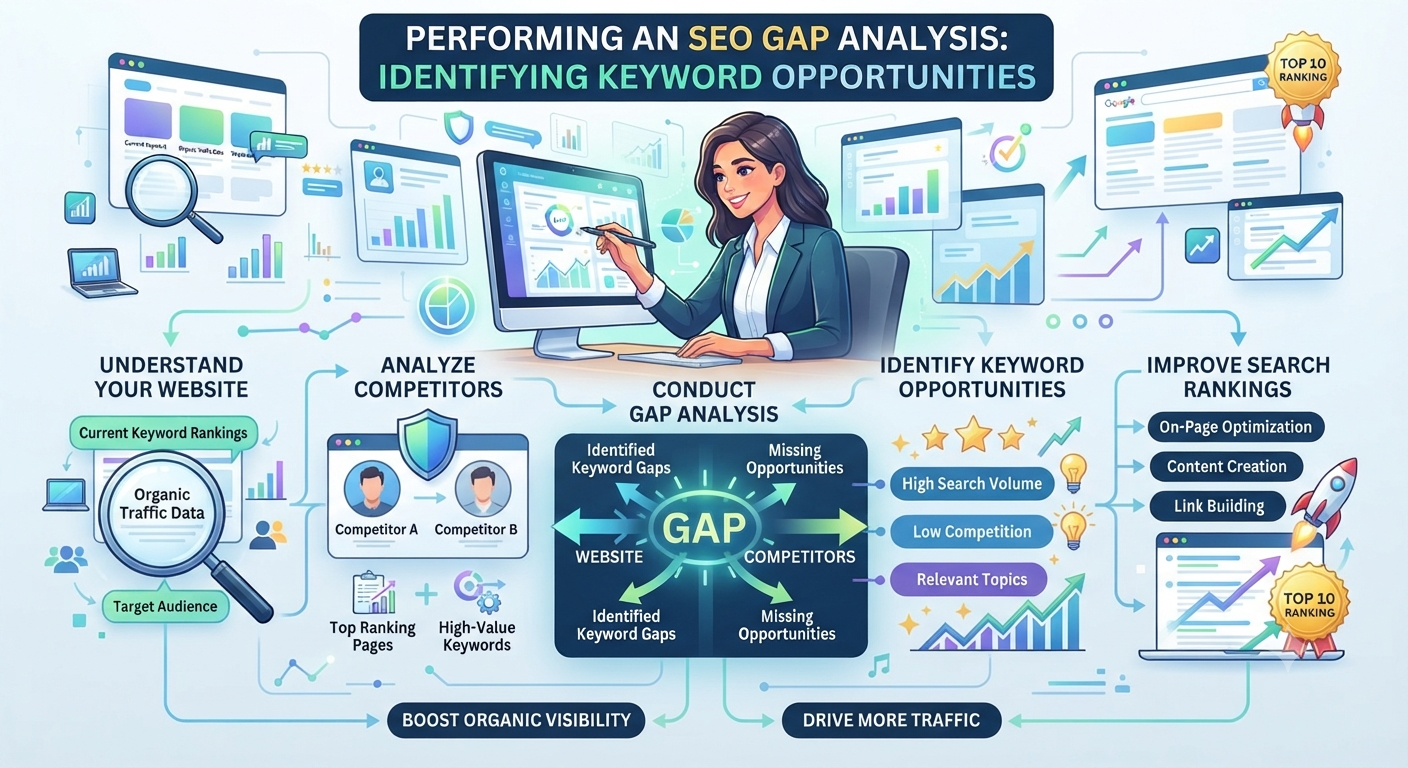
14. Find Content Gaps
An SEO audit can also help you find new content opportunities.
Start by looking at the topics your customers search for.
Next, compare your content with the questions and topics related to your industry.
You may find important topics that your website does not cover yet.
For example, a web design company may have pages about website design and development.
However, customers may also search for:
- Website maintenance
- Website security
- Website speed
- SEO for small businesses
- Website redesign
- Mobile-friendly websites
Creating useful content around these topics can help your website cover more relevant searches.
15. Review Your Top and Low-Performing Pages
Not every page needs the same amount of attention.
Therefore, check which pages perform well and which pages struggle.
Look at metrics such as:
- Organic traffic
- Clicks
- Impressions
- Click-through rate
- Rankings
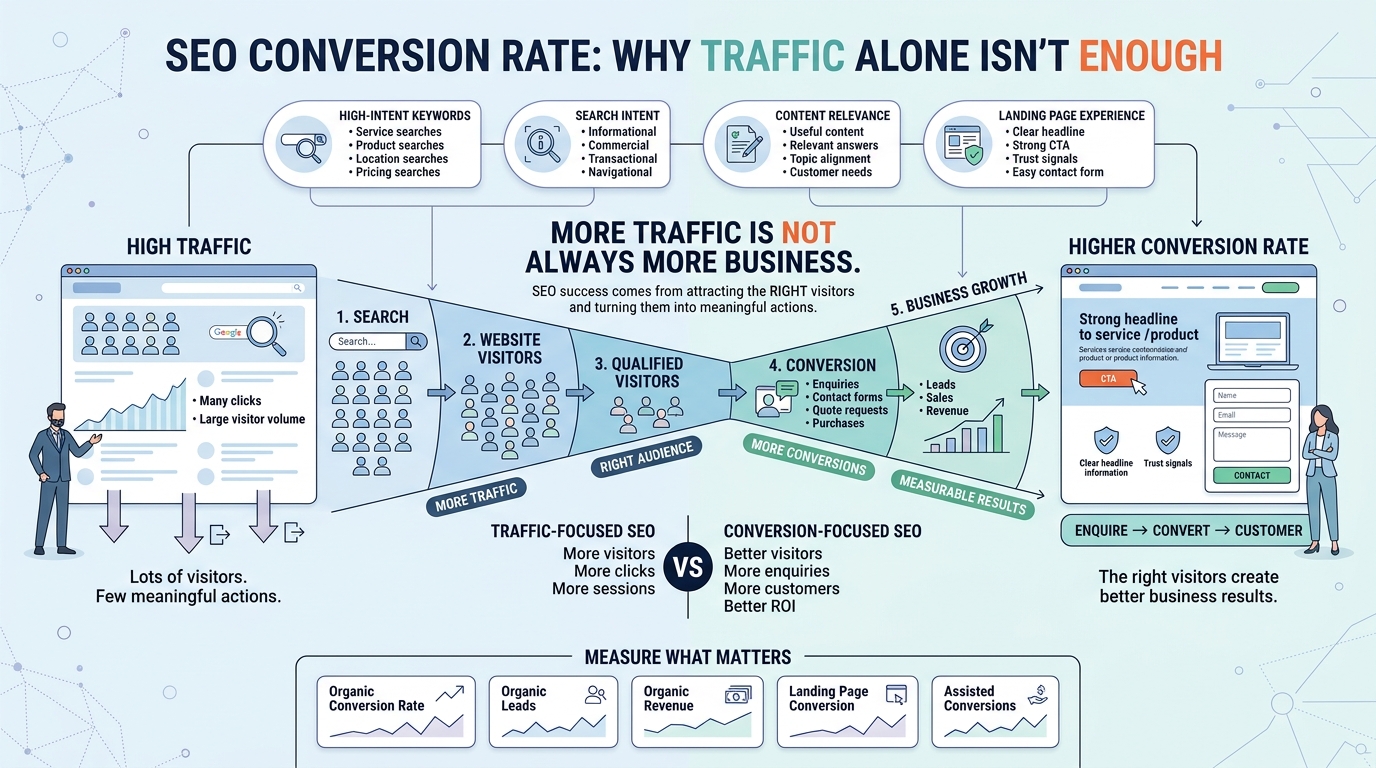
- Conversions
High-performing pages can show you what works.
Meanwhile, low-performing pages may need updates.
For example, a page may have many impressions but few clicks.
This could suggest that the page title or meta description needs improvement.
Another page may get traffic but few enquiries.
In that case, review the content and calls to action.
Common SEO Audit Mistakes
SEO audits can provide useful information. However, the process can also go wrong if you focus on the wrong things.
Here are some common mistakes to avoid.
Focusing Only on Keywords
Keywords matter, but they are not the whole picture.
Technical SEO, content quality, links, website speed, and user experience also matter.
Therefore, review the entire website instead of focusing on keyword density alone.
Trying to Fix Everything at Once
Large websites can have hundreds or even thousands of issues.
Trying to fix everything at the same time can waste resources.
Instead, create a priority list.
Start with issues that affect important pages or prevent search engines from accessing your content.
Then, work through smaller improvements.
Ignoring Old Content
Old content can continue to receive traffic.
However, outdated information can reduce its value.
Review older articles regularly.
Update statistics, examples, links, screenshots, and other information when needed.
Ignoring Mobile Users
A website can look perfect on a desktop screen and still have mobile problems.
Always test your important pages on different screen sizes.
Looking Only at Rankings
Rankings are useful, but they do not tell the whole story.
A page can rank well and still produce few leads.
Therefore, look at traffic, engagement, and conversions as well.
How Often Should You Perform an SEO Audit?
There is no single schedule that works for every website.
The right frequency depends on the size and type of your website.
For a small business website, a detailed audit every few months may be useful.
Larger websites may need more frequent checks.
You should also perform an audit after major website changes.
For example, consider an SEO audit after:
- A website redesign
- A domain change
- A major migration
- Large content updates
- Changes to website structure
- Major technical updates
In addition, smaller SEO checks can be done more often.
Regular monitoring makes it easier to catch problems before they grow.
SEO Audit Checklist
Use this checklist when reviewing your website:
Technical SEO
- Check indexing
- Review crawl errors
- Check XML sitemap
- Review robots.txt
- Check redirects
- Check canonical URLs
- Find broken pages
On-Page SEO
- Review page titles
- Check meta descriptions
- Review headings
- Check keyword usage
- Improve URLs
- Add relevant internal links
Content
- Update old content
- Find duplicate content
- Check search intent
- Find content gaps
- Improve weak pages
- Remove or improve low-value content
Performance
- Check page speed
- Compress large images
- Review mobile performance
- Check Core Web Vitals
- Review unnecessary scripts
Links
- Analyse backlinks
- Find broken backlinks
- Check internal links
- Review external links
User Experience
- Test navigation
- Check forms
- Review calls to action
- Test mobile usability
- Make content easy to scan
Why Businesses Should Perform Regular SEO Audits
SEO changes over time.
Search engines update their systems. Websites also change. New competitors enter the market. Customer search behaviour can change as well.
Because of this, SEO should not be treated as a one-time project.
Regular audits help businesses understand what is working and what needs attention.
They also provide useful data for future SEO planning.
For example, an audit may show that technical issues are holding back important pages.
Another audit may show that the website needs more useful content.
In both cases, the findings can help you decide what to work on next.
Conclusion
An SEO audit gives you a clearer view of your website’s search performance.
It helps you find technical problems, content issues, broken links, speed problems, and other areas that may affect your SEO.
More importantly, an audit gives you a practical starting point for improvement.
Start with the most important issues first. Then, work through your technical SEO, content, links, website speed, and user experience.
Finally, monitor your results and repeat the process regularly.
With a consistent approach, your website can stay healthier, easier to use, and better prepared for search.
FAQs
1.What is an SEO audit?
An SEO audit is a review of a website’s SEO performance. It checks areas such as technical SEO, content, links, website speed, mobile performance, and user experience.
2.Why is an SEO audit important?
An SEO audit helps you find problems that may affect your website’s visibility. It can also show areas where your website can improve.
3.How often should I perform an SEO audit?
The right schedule depends on your website. Many businesses can benefit from a detailed audit every few months. You should also check your website after major changes or migrations.
4.What should an SEO audit include?
A complete SEO audit can include technical SEO, on-page SEO, content, internal links, backlinks, website speed, mobile performance, indexing, and user experience.